6 posts tagged with "Security"

View All Tags

Intune and Vanta Checks

· One min read

Two new MDM and compliance checks are now available for the desktop app:

  • Microsoft Intune — Verify whether a device is enrolled in Microsoft Intune. Supports both macOS and Windows.
  • Vanta — Detect whether the Vanta compliance monitoring agent is installed and running. Supports macOS, Windows, and Linux.

Both checks can be configured in your organization's policy with warning and blocking actions, just like all other security checks.

These checks are currently available on desktop only.

Configure your policies

Noru Integration

· One min read

XFA now integrates with Noru, a GRC platform that makes compliance manageable for modern teams.

Once connected, XFA automatically syncs your device security data to Noru, giving you:

  • Automated compliance - Device security checks are continuously exported as security findings, eliminating manual compliance verification.
  • Risk mapping - Each security check is linked to a risk in Noru's risk registry, providing a clear overview of your organization's risk posture.
  • Real-time visibility - Findings are synced as they happen, so your compliance dashboard always reflects the current state.

XFA exports 23 security checks across endpoint posture, compliance, configuration, and identity & access categories.

To get started, create an API key in Noru with Write Assets and Write Risks scopes, and connect it from the Integrations page in your XFA dashboard.

Read the announcement | Set up the integration

Dynamic Security Checks per Organization

· One min read

The XFA app now shows only the security checks that your organization requires, instead of displaying all available checks.

Each organization configures its own policy with specific security requirements. The app now dynamically matches these requirements and shows you exactly which checks apply to you:

  • Policy-scoped checks — Only checks defined in your organization's policy are evaluated and displayed.
  • Clear status per check — Each check shows whether your device passes, needs attention, or is blocked.
  • Not required checks — Checks that don't apply to your organization are marked as "Not required" so you always know what matters.

This makes it much easier to understand what your organization expects from your device and how to stay compliant.

AI Checks

· One min read

Three new AI-related security checks are now available in your policies:

  • Secrets in environment — Detect and prevent exposed secrets in environment variables or runtime context to reduce credential leakage risk.
  • Autonomous agents — Detect autonomous agents and require approved controls before allowing access.
  • Unguarded elevation — Detect and prevent unguarded privilege elevation that can lead to unauthorized high-privilege actions.

Each check can be configured with warning and blocking actions, just like all other policy checks.

Configure your policies

Device Restart Verification

· One min read

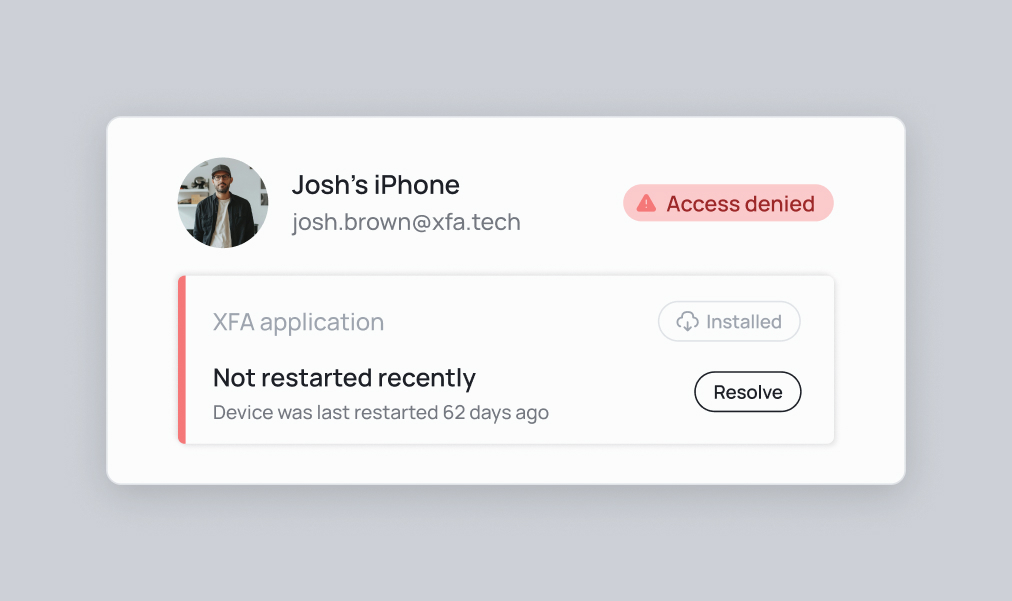
New security check: Device restart verification

Device Restart

We've introduced a new security feature that verifies if a device has been restarted recently. This check helps ensure that the device is in a clean state and hasn't been compromised.

Why this matters:

  • Clear potential malware and exploits
  • Complete security updates and patches
  • Reset network connections to prevent unauthorized access
  • Eliminate memory leaks that could lead to vulnerabilities

You can now enforce users to restart their device if it detects that the device hasn't been restarted for an extended period, helping maintain optimal security conditions. Do you want to know more about why you should enforce this check? Check out our blog post.

Biometric Authentication Enforcement

· One min read

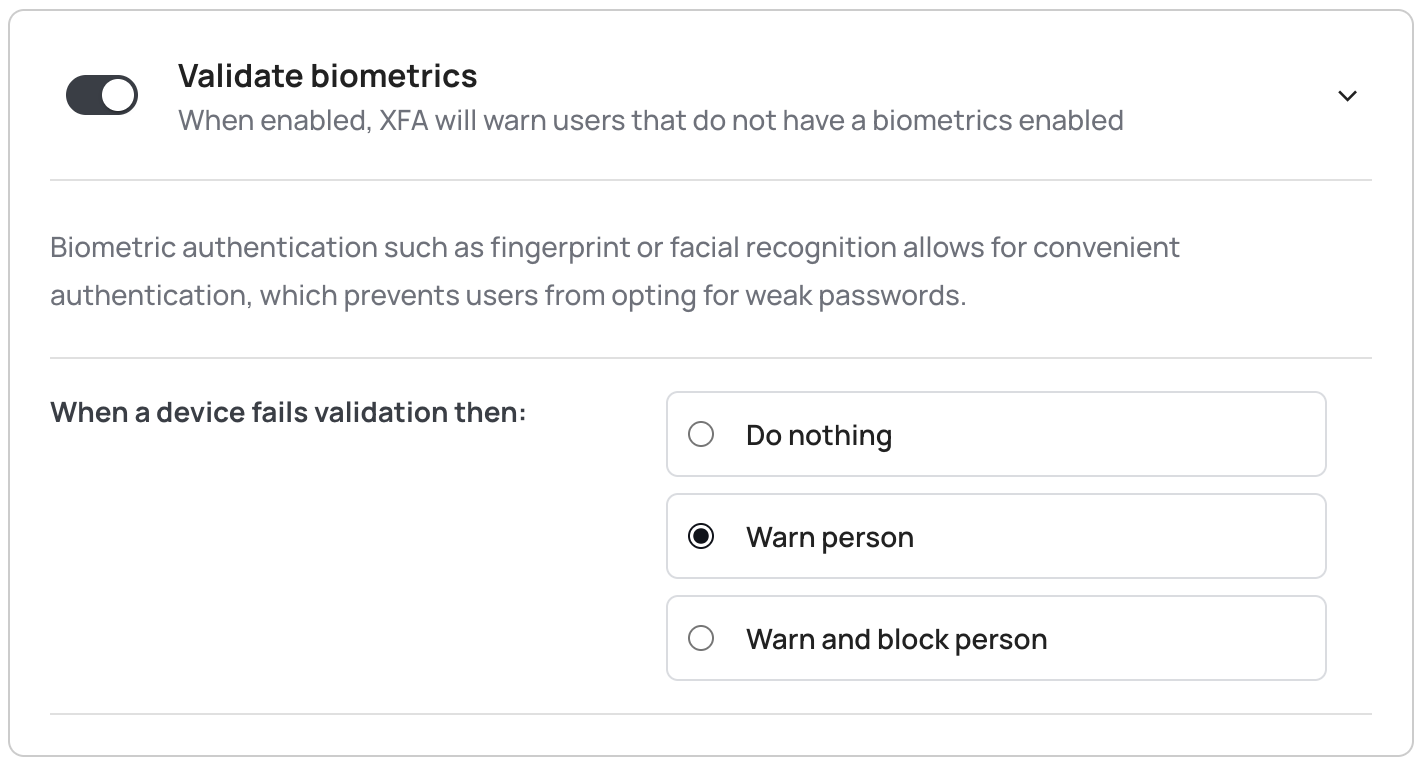
🔐 Biometric authentication now mandatory

Biometrics

To enhance security, XFA now makes it possible to require biometric authentication (fingerprint or face recognition) for all sensitive operations. This ensures that only authorized users can access protected features.

Key changes:

  • Enforce biometric authentication for all sensitive operations
  • Support for both fingerprint and face recognition
  • Seamless integration with device security features

This mandatory biometric authentication adds an extra layer of security to ensure that only the rightful owner of the device can access sensitive information and perform critical operations.

Go to the policies page to enable this feature.