Open the XFA desktop or mobile app, enter your work email and confirm it with a one-time code. XFA then shows the organizations you can connect to, so you can get started without asking an administrator to send a separate invitation.
Administrators decide whether their organization allows this through self invite in Awareness settings, where the feature is marked Beta. Connect from the XFA app
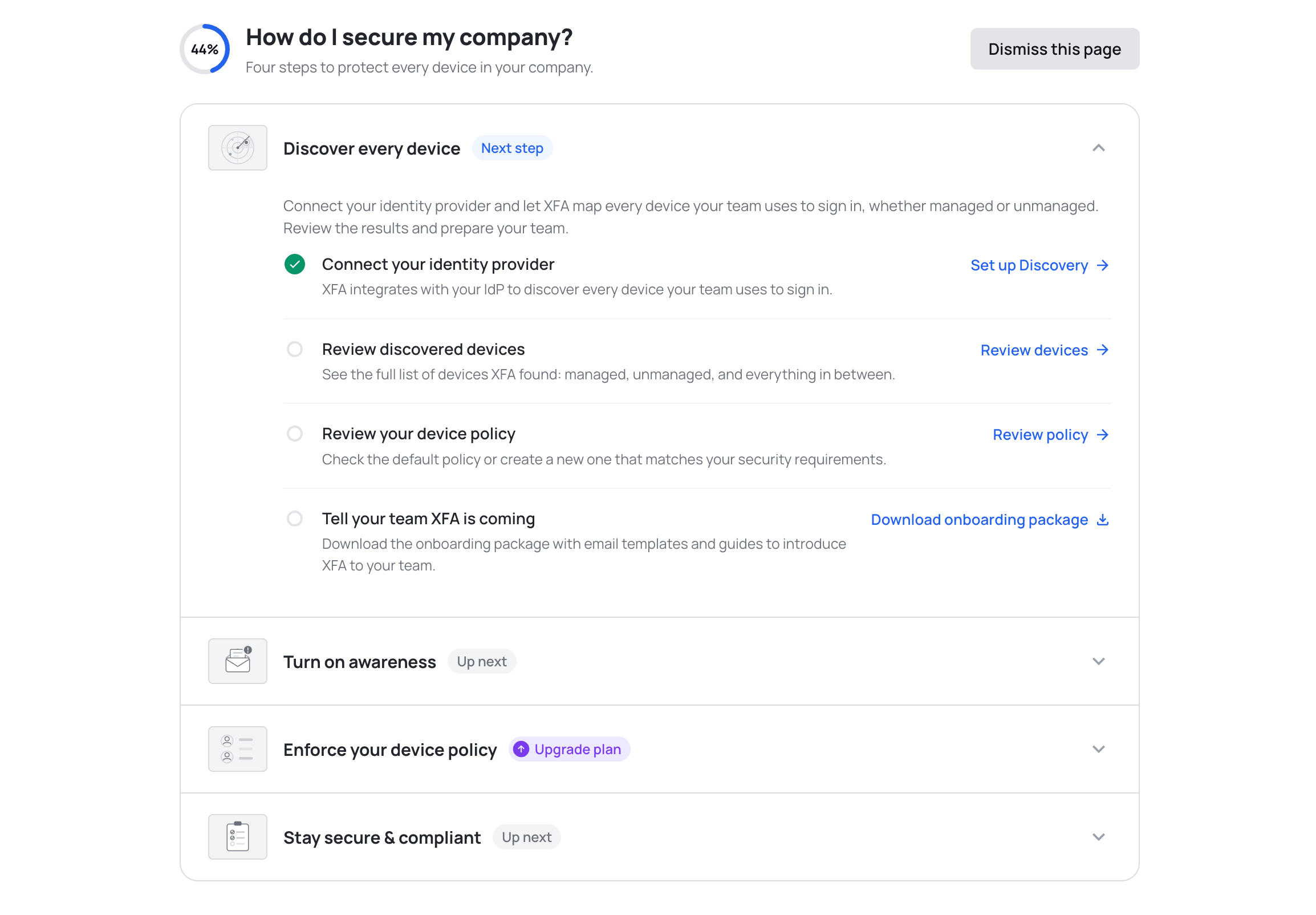
The new Getting Started page helps you get more out of XFA. It lays out four tracked steps, from discovering every device to staying secure and compliant, so you always know what to set up next.
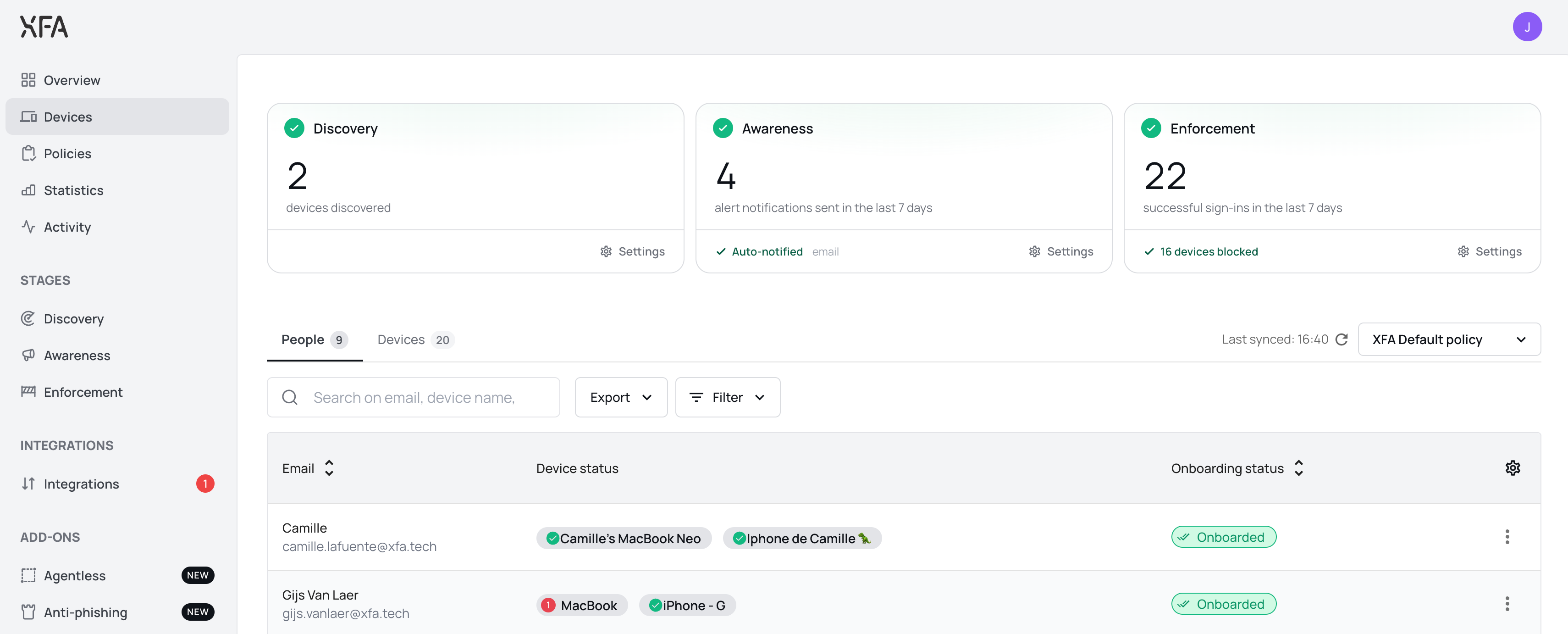
The Devices page now opens with a card for Discovery, Awareness and Enforcement, so you can see at a glance where your organization stands. Each card says whether that pillar is running or waiting on you, with the number behind it: devices discovered, alerts sent, successful sign ins. See the Devices overview
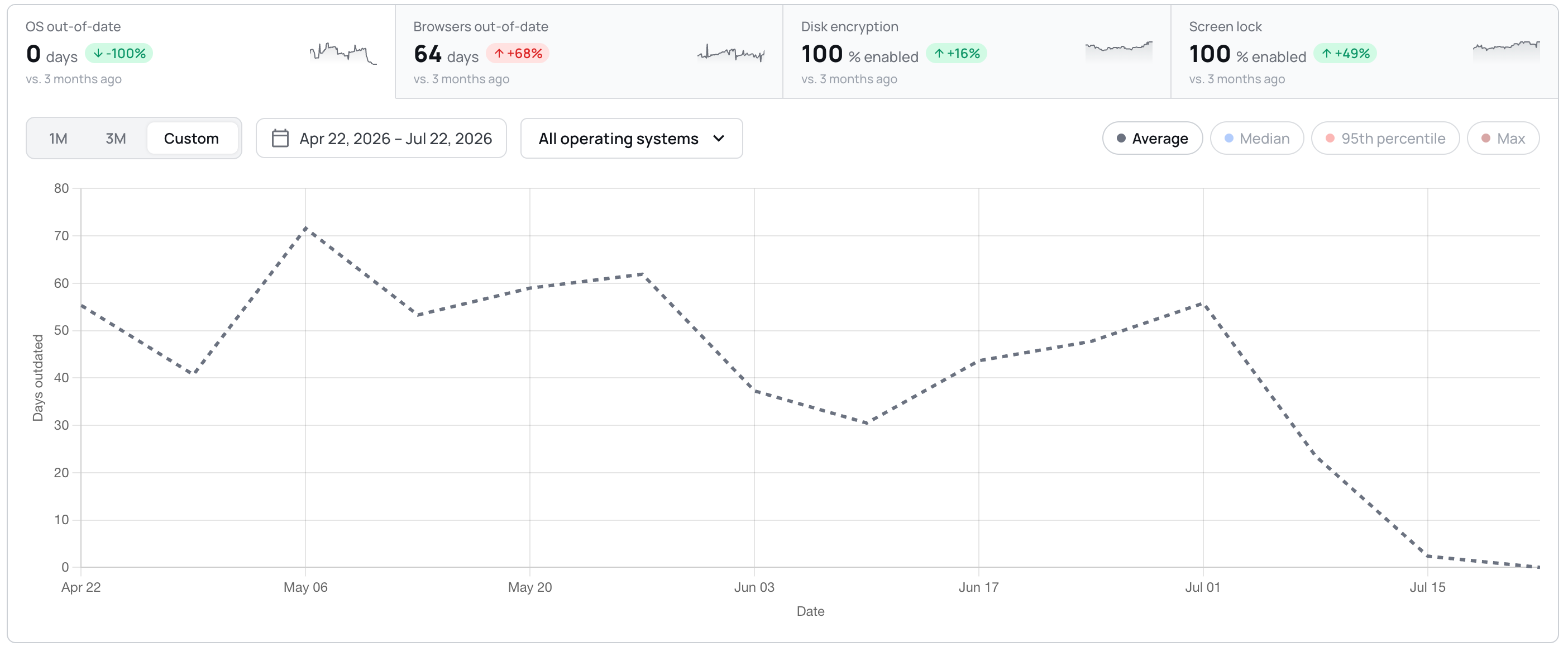
Trends are now a single card: four tiles act as tabs above one chart, with the period, the operating system filter and the chart type on the card instead of in a fullscreen modal. Custom date ranges are supported, and the BETA labels are gone.
The device detail view now reports whether a device allows unattended remote access, and explains what the check looks for. You can act on it in your policy; XFA does not change the setting on the device. See your device policy
Dashboard: a Discovery integration that was never connected now shows a red alert and a Reconnect button, and counts towards the Discovery badge.
Dashboard: smaller interface fixes throughout, including larger tooltip and dismiss targets, steadier invoice rows, and long organization names that truncate instead of pushing controls off screen.
Dashboard: the Discovery page no longer shows a next run in the past. It is now anchored to the coming hour.
Dashboard: confirming a delete no longer leaves the button spinning. The dialog closes once the delete succeeds, and shows an error if it fails.
Desktop: the screen lock timeout row now shows a warning icon when the check fails on the timeout, instead of staying green while the check warns.
Desktop: the OS updates check now follows your policy grace in the app, the systray and the web flow alike.
Desktop: eighteen strings in the check details and fix actions are now translated in German, Spanish, French and Dutch, instead of falling back to English.
Mobile: approving MFA on another device no longer leaves the mobile app waiting.
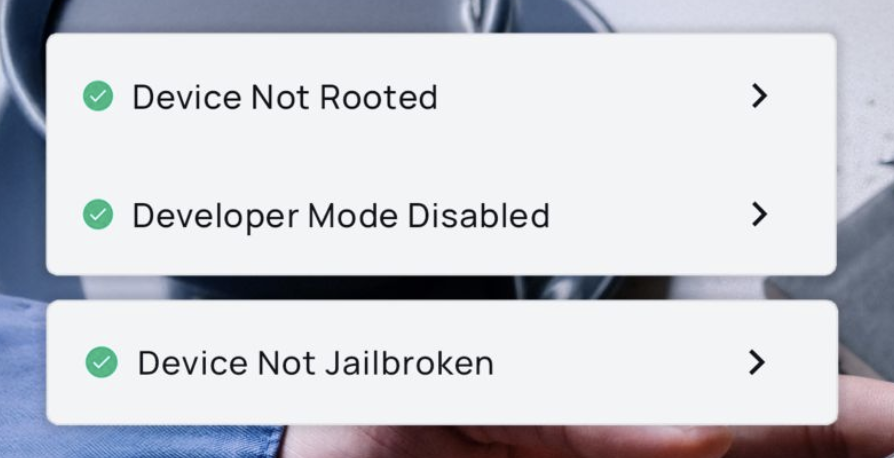
The checks that flag a jailbroken, rooted or developer-mode device, or one that was just rebooted, already ran in the XFA app and showed in your dashboard. They now also reach the access decision at sign-in for mobile devices, so a risky mobile device is warned or blocked at login per your policy, the same way it already is on desktop. Nothing new is installed: the mobile app simply reports these signals when it verifies the device at sign-in. See your device policy
Dashboard: a lighter, more responsive feel, with smoother transitions, clearer hover and loading states, skeleton placeholders while data loads, and success confirmations that appear only once an action has actually saved. Motion respects your reduced-motion setting.
Dashboard: notifications are rebuilt to be calmer and more legible, and no longer duplicate, flicker or jump when several arrive at once.
Dashboard: Discovery and Enforcement now have a Watch demo action that opens a short guided tour without leaving the dashboard.
Desktop: the device-lock check now applies your organization's maximum screen-lock timeout, so it no longer shows OK in the app while sign-in is actually being blocked.
Desktop: the OS updates check on Fedora Linux is much faster, and no longer reports a device as out of date right after a reboot before its update data is ready.
Dashboard: setting up Google Workspace discovery no longer skips the domain-wide delegation step. You now confirm delegation is configured before continuing.
Web app: MFA and TOTP sign-in are more reliable. Trusted devices register after approval, malformed device tokens are refreshed instead of failing, and TOTP email confirmation links open the right step.
Dashboard: fixed a rare case where the dashboard could get stuck reloading right after a new version was deployed.
Dashboard: fixed a redirect loop that could bounce you back and forth during MFA sign-in.
Dashboard: blocked-account access handling is more consistent, and you now review your billing details before checkout.
Dashboard: an invited user's signup now always uses the invited email address, even if an earlier unfinished signup was left in the browser.
The XFA app now shows only the security checks that your organization requires, instead of displaying all available checks.
Each organization configures its own policy with specific security requirements. The app now dynamically matches these requirements and shows you exactly which checks apply to you:
Policy-scoped checks — Only checks defined in your organization's policy are evaluated and displayed.
Clear status per check — Each check shows whether your device passes, needs attention, or is blocked.
Not required checks — Checks that don't apply to your organization are marked as "Not required" so you always know what matters.
This makes it much easier to understand what your organization expects from your device and how to stay compliant.
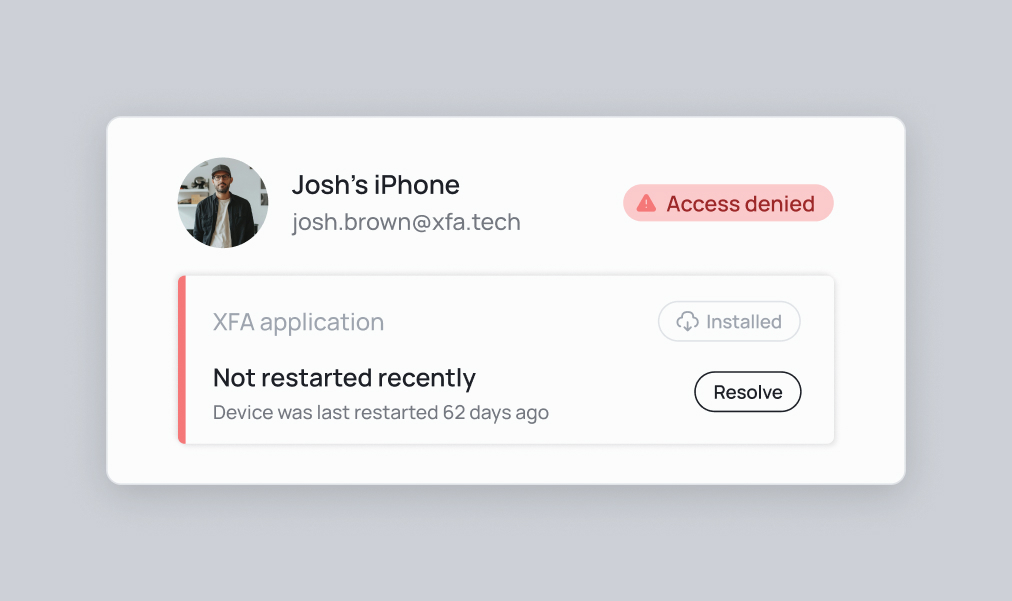
We've introduced a new security feature that verifies if a device has been restarted recently. This check helps ensure that the device is in a clean state and hasn't been compromised.
Why this matters:
Clear potential malware and exploits
Complete security updates and patches
Reset network connections to prevent unauthorized access
Eliminate memory leaks that could lead to vulnerabilities
You can now enforce users to restart their device if it detects that the device hasn't been restarted for an extended period, helping maintain optimal security conditions.
Do you want to know more about why you should enforce this check? Check out our blog post.
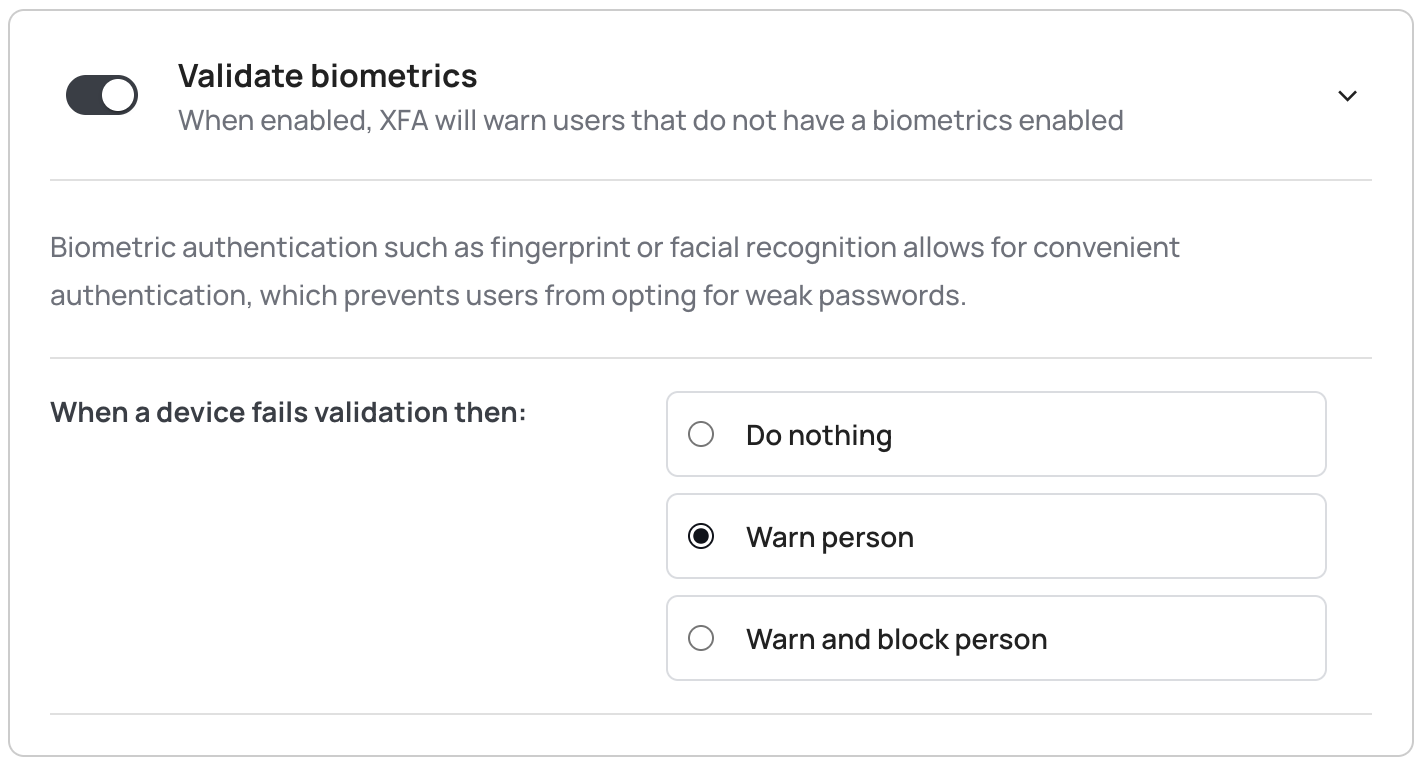
To enhance security, XFA now makes it possible to require biometric authentication (fingerprint or face recognition) for all sensitive operations. This ensures that only authorized users can access protected features.
Key changes:
Enforce biometric authentication for all sensitive operations
Support for both fingerprint and face recognition
Seamless integration with device security features
This mandatory biometric authentication adds an extra layer of security to ensure that only the rightful owner of the device can access sensitive information and perform critical operations.
To ensure the security and integrity of our application, we now check if a mobile device is rooted, jailbroken, or has developer mode enabled.
These checks are important because:
Rooted or jailbroken devices remove built-in security restrictions, making them more vulnerable to malware, data breaches, and unauthorized modifications.
Developer mode can expose sensitive debug information and enable actions that bypass security mechanisms.