My account
My account is where your users see how they sign in to your organization: their trusted devices, passkeys, security keys and authenticator app. They can also add or remove a sign-in method themselves, without contacting you. My account is part of every plan.
Open the settings
In the XFA dashboard, open My account under Identity & Access. Click Open My account to see the page your users see.
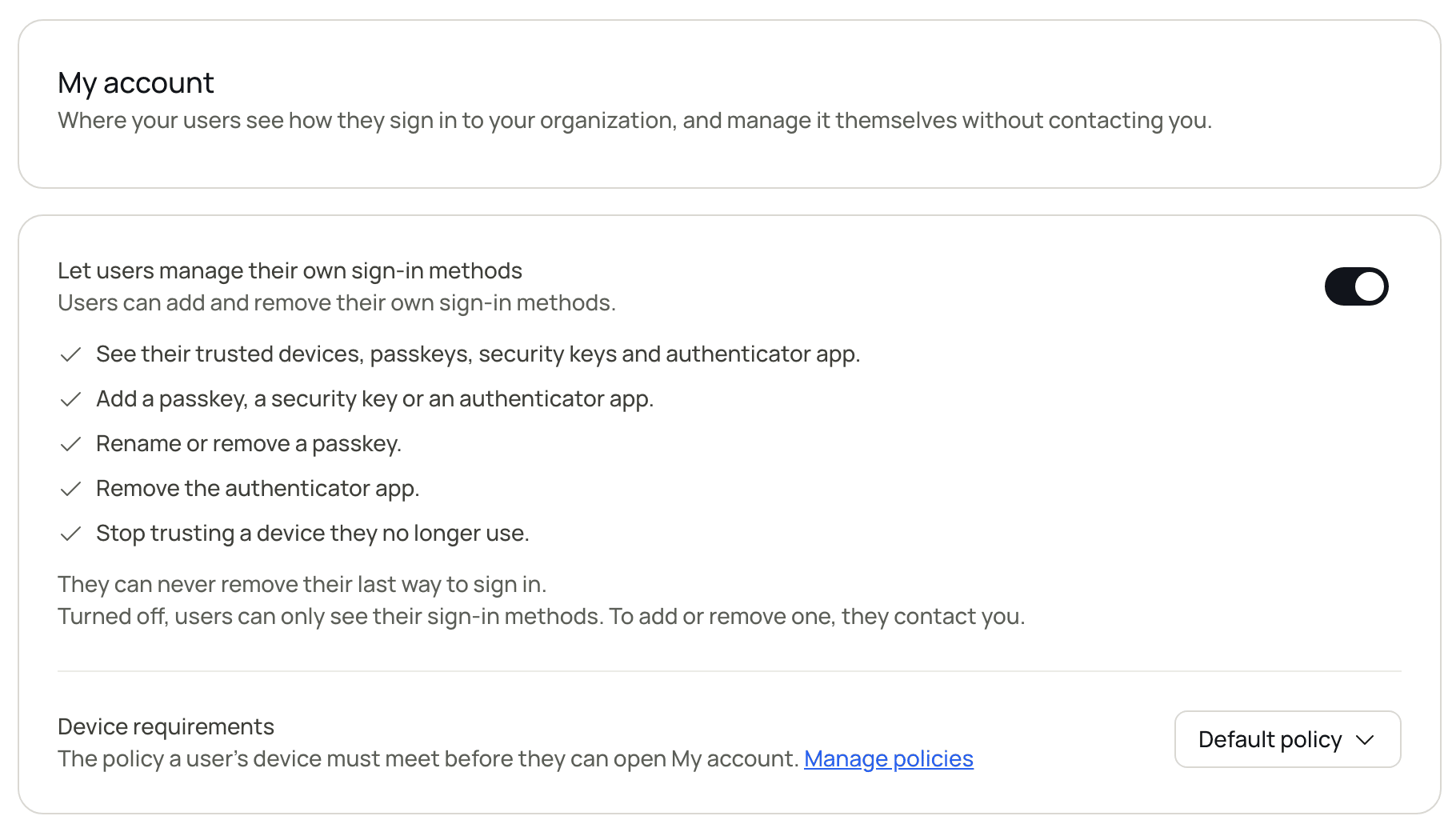
What your users can do
- See their trusted devices, passkeys, security keys and authenticator app.
- Add a passkey, a security key or an authenticator app.
- Rename or remove a passkey.
- Remove the authenticator app.
- Stop trusting a device they no longer use.
They can never remove their last way to sign in.
Let users manage their own sign-in methods
Let users manage their own sign-in methods is on by default. Turn it off, and users can only see their sign-in methods. To add or remove one, they contact you.
Device requirements
Under Device requirements, choose the policy a user's device must meet before they can open My account. Your default policy applies until a user opens My account for the first time. After that, you can choose another policy here.
A policy that My account uses cannot be deleted. Choose another policy for My account first.
Related
- Policies: the checks a device must pass.
- MFA methods: the sign-in methods XFA offers.